The article provides a comprehensive guide on using Azure Data Factory (ADF) for moving data from Blob Storage to SQL Database. Here's a summary of key steps and concepts discussed:
-
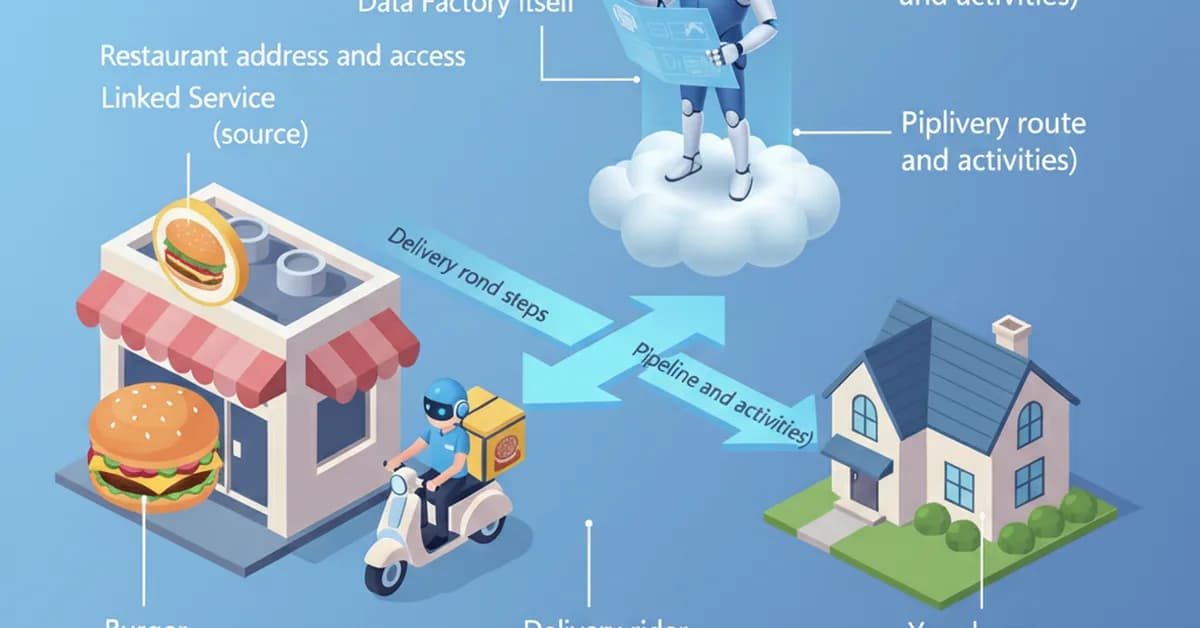
Introduction to Azure Data Factory: ADF is described as an ETL/ELT service that allows users to move, transform, and manage data across various cloud platforms.
-
Setting Up the Environment:
- Create necessary resources like Blob Storage and SQL Database.
- Set up a new instance of Azure Data Factory.
-
Connecting Source and Destination Datasets:
- Define datasets for both source (Blob Storage) and destination (SQL Database).
- Use Linked Services to connect these datasets securely.
-
Creating Pipelines:
- Build pipelines using activities like "Copy Data" to specify data movement from Blob to SQL.
- Configure the pipeline by selecting appropriate sources, transformations, and sinks.
-
Debugging and Testing:
- Test the setup through debugging before publishing.
- Monitor logs for successful execution of data movement tasks.
-
Automation with Triggers:
- Set up triggers to automate data movement based on schedules or events.
- Ensure reliable and consistent data flow
Read the full article at Towards AI - Medium
Want to create content about this topic? Use Nemati AI tools to generate articles, social posts, and more.
199

Ali NematiWritten by Ali