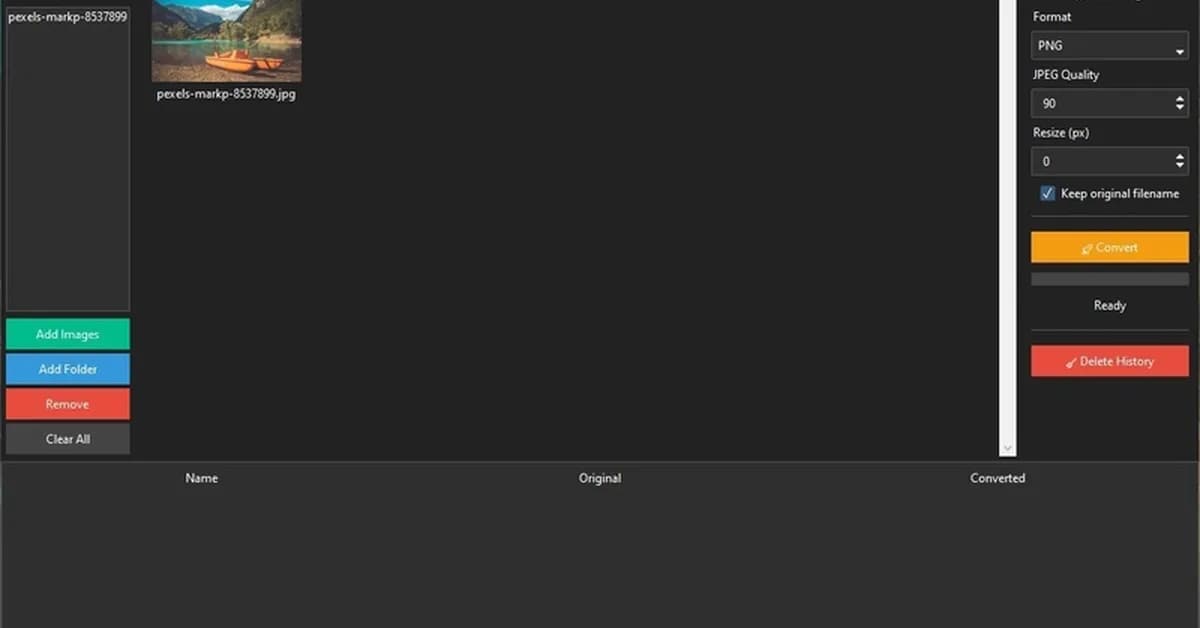
This article provides a comprehensive guide on building a Python desktop application for image conversion using Tkinter and threading. Below is a summary of the key steps involved in creating this app:
Key Steps
-
Setup Project Structure
- Create directories and files:
app,config,db,utils. - Initialize SQLite database with necessary tables.
- Create directories and files:
-
Install Required Libraries
- Install
tkinter(built-in),Pillowfor image processing, andsqlite3for database operations. - Optionally install
messageboxfor GUI alerts.
- Install
-
Database Initialization
- Create a function to initialize the SQLite database with tables for history tracking.
-
Tkinter Application Setup
- Define the main application class (
App) inheriting from Tk. - Initialize components like buttons, progress bar, and drop target registration for drag-and-drop functionality.
- Define the main application class (
-
Drag & Drop Support
- Register the root window to accept file drops using
drop_target_registerand bind it to a function that processes dropped files.
- Register the root window to accept file drops using
-
Image Gallery Rendering
- Implement a method (
render_gallery) to display thumbnails of images in a grid layout within the Tkinter
- Implement a method (
Read the full article at DEV Community
Want to create content about this topic? Use Nemati AI tools to generate articles, social posts, and more.
6
Tags
Contents

Ali NematiWritten by Ali
![[AINews] The Unreasonable Effectiveness of Closing the Loop](/_next/image?url=https%3A%2F%2Fmedia.nemati.ai%2Fmedia%2Fblog%2Fimages%2Farticles%2F600e22851bc7453b.webp&w=3840&q=75)



