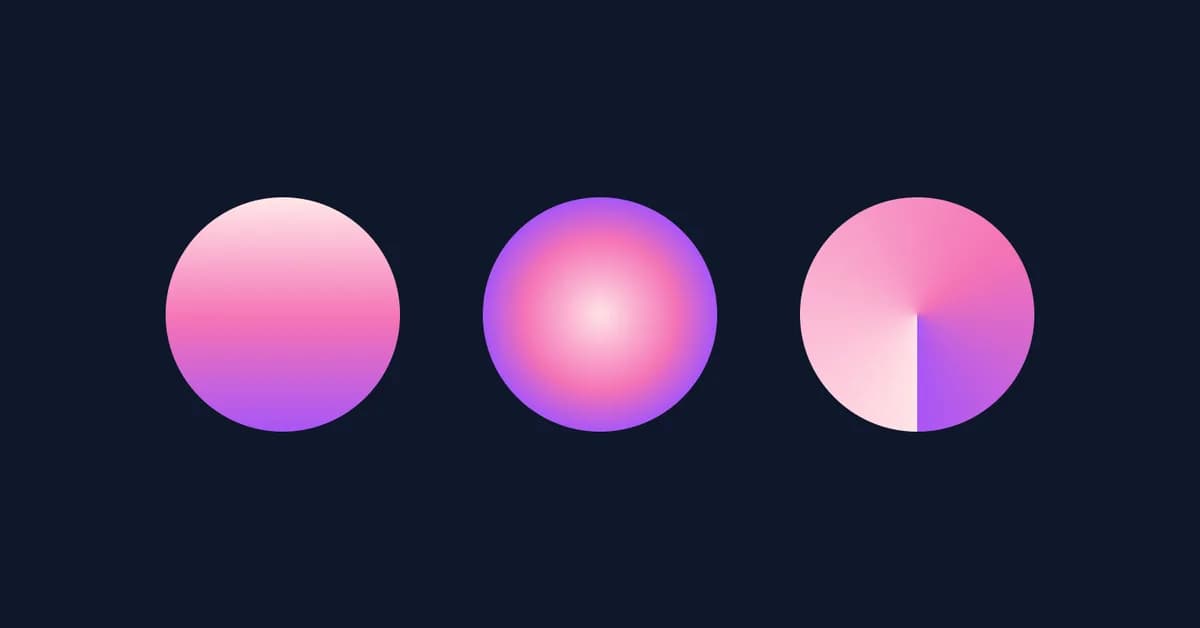
Gradients in CSS offer a powerful way to create visually appealing designs with smooth transitions between colors. Here's an overview of how to use them effectively:
Types of Gradients
- Linear Gradient: A gradient that transitions smoothly between two or more colors along a straight line.
- Radial Gradient: A gradient that transitions smoothly from the center outward, creating a circular or elliptical shape.
- Conic Gradient: A gradient that transitions around a circle, useful for creating patterns like pie charts and clock faces.
Basic Syntax
Linear Gradient
css1background: linear-gradient(direction, color-stop1, color-stop2);
direction: The direction of the gradient (e.g.,to right,45deg).color-stops: A list of colors at specific points along the gradient.
Example:
css1background: linear-gradient(to bottom right, red, blue);
Radial Gradient
css1background: radial-gradient(shape size, color-stop1, color-stop2);
shape size: The shape and size of the gradient (e.g.,circle farthest-corner,ellipse cover).- `color-st
Read the full article at DEV Community
Want to create content about this topic? Use Nemati AI tools to generate articles, social posts, and more.
2
Tags
Contents

Ali NematiWritten by Ali
![[AINews] The Unreasonable Effectiveness of Closing the Loop](/_next/image?url=https%3A%2F%2Fmedia.nemati.ai%2Fmedia%2Fblog%2Fimages%2Farticles%2F600e22851bc7453b.webp&w=3840&q=75)



