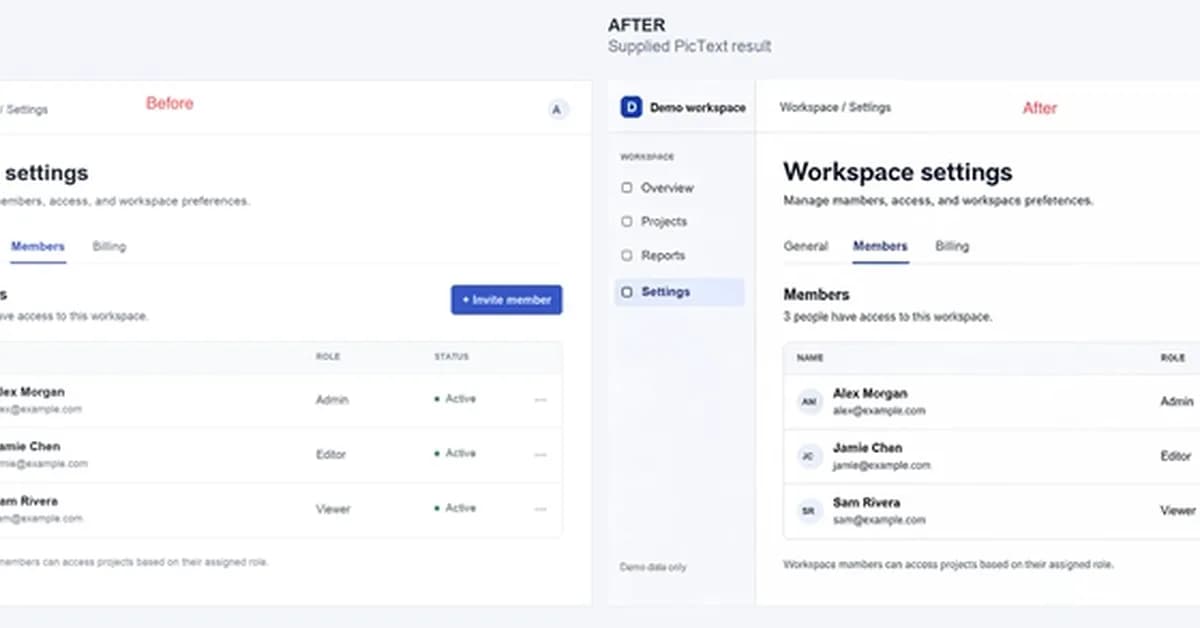
A minor change to a product's interface, like a renamed button or label, can quickly make documentation screenshots outdated and confusing for users. Rather than recreating an entire screenshot, a new workflow allows for focused text edits within existing images, preserving the visual connection to the product. This approach is particularly valuable for AI/ML/Data Science documentation teams who often deal with rapidly evolving interfaces and seek efficient ways to maintain accuracy. Consider exploring tools like PicText to streamline this process and minimize rework.
Read the full article at DEV Community
Want to create content about this topic? Use Nemati AI tools to generate articles, social posts, and more.
Views7

Ali NematiBlogUI.author_articles