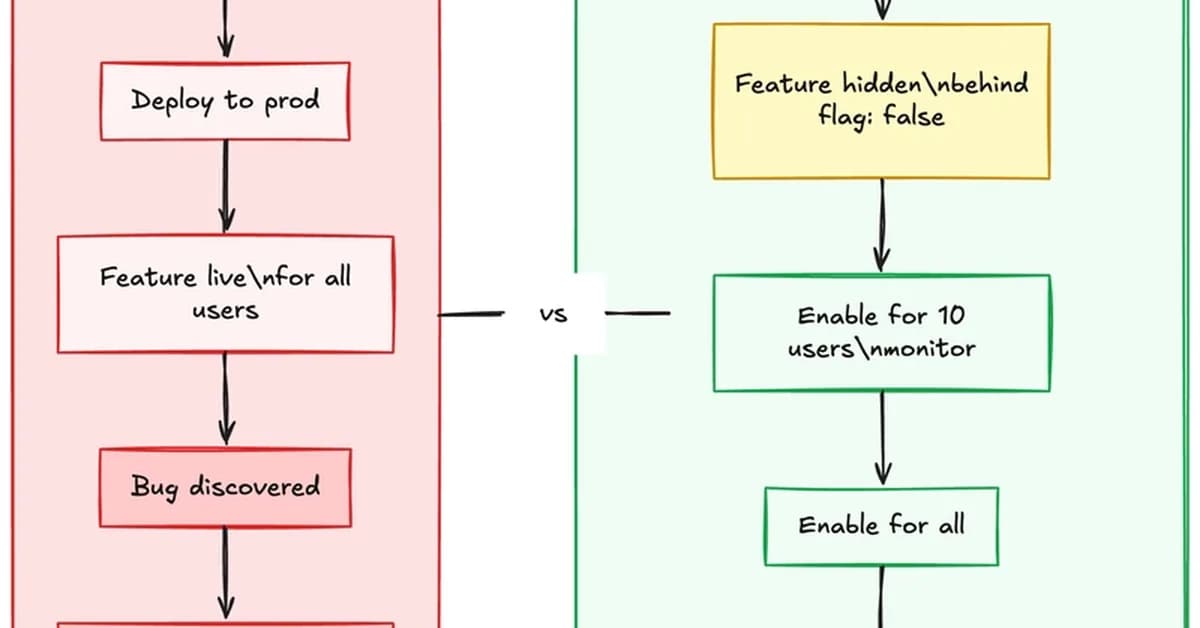
To summarize, you've walked through a detailed process of implementing feature flags using Kinde for managing different versions or features within your application across various environments (like staging and production). Here's a concise breakdown of what was covered:
-
Creating Feature Flags in Kinde:
- Navigate to the "Settings" section.
- Go to "Feature flags".
- Create a new flag, e.g.,
new_ai_model, setting its initial value tofalse.
-
Integrating Feature Flags into Your Application:
- Use the Kinde SDK in your application to retrieve feature flag values dynamically.
- Example code snippet:
javascript 1import { getBooleanFlag } from 'kinde-sdk';
2
3const newAiModelEnabled = getBooleanFlag("new_ai_model", false);
4
5if (newAiModelEnabled) {
6    // Render the new AI model interface with specific token limits and prompt variants.
7}
-
Overriding Flags Per Environment:
- Navigate to "Settings" → "Environment" → "Feature flags".
- Find your flag (
new_ai_model). - Change its value to
truefor the staging environment,
Read the full article at DEV Community
Want to create content about this topic? Use Nemati AI tools to generate articles, social posts, and more.
2
Tags

Ali NematiWritten by Ali
![[AINews] The Unreasonable Effectiveness of Closing the Loop](/_next/image?url=https%3A%2F%2Fmedia.nemati.ai%2Fmedia%2Fblog%2Fimages%2Farticles%2F600e22851bc7453b.webp&w=3840&q=75)



