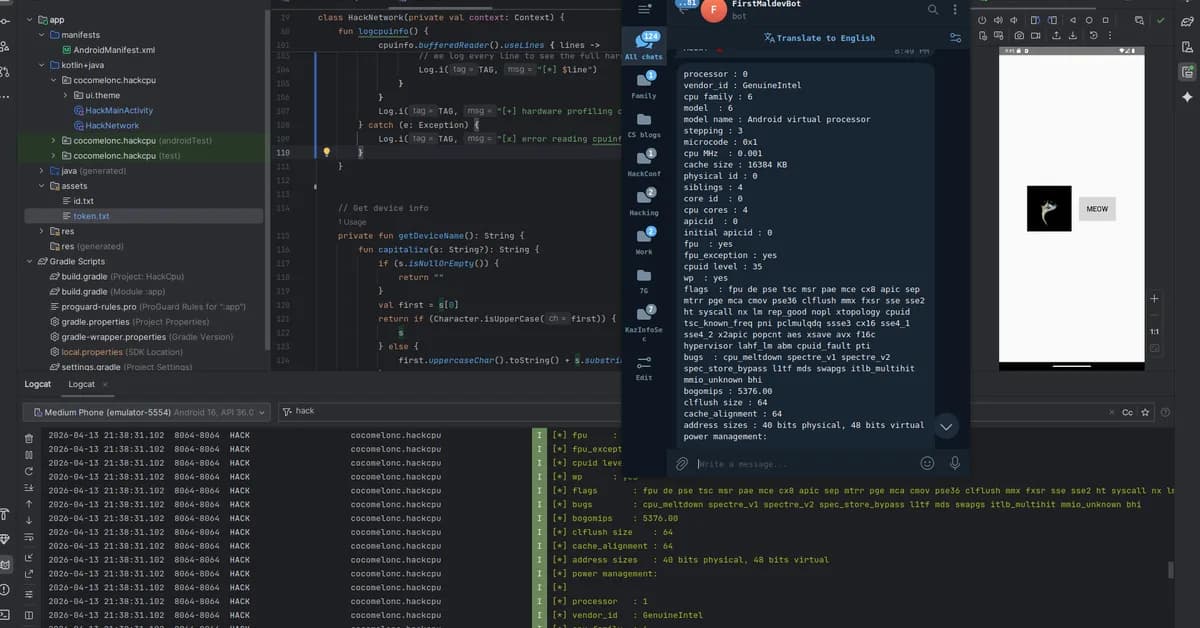
To add a decision gate based on the collected data to determine if the device is an emulator, you can modify your isEmulator() function to include checks for both the Android Build constants and the contents of /proc/cpuinfo. This approach ensures that the malware can make an informed decision about whether to proceed with its payload or not.
Here’s how you could implement this:
- Check Build Constants: First, check if the device is likely an emulator based on common indicators in the
Buildconstants. - Read
/proc/cpuinfo: If the initial checks are inconclusive, read and analyze/proc/cpuinfo. - Decision Gate: Based on the results of these checks, decide whether to proceed with the payload.
Below is a sample implementation:
kotlin1package com.example.demo 2 3import android.content.Context 4import android.os.Build 5import java.io.BufferedReader 6import java.io.InputStreamReader 7 8class EmulatorDetector { 9 10 fun isEmulator(context: Context): Boolean { 11 // Check Build constants first (no file I/O) 12 val buildType = Build.TYPE 13 val fingerprint = Build.FINGERPRINT 14 val radioVersion = Build.RADIO 15 16 if ("user" == buildType || 17 18[Read the full article at Malware Analysis, News and Indicators - Latest topics](https://malware.news/t/mobile-malware-development-trick-3-cpu-info-logger-anti-vm-and-anti-sandbox-simple-android-kotlin-example/105991) 19 20--- 21 22**Want to create content about this topic?** [Use Nemati AI tools](https://nemati.ai) to generate articles, social posts, and more.
3

Ali NematiWritten by Ali
![[AINews] The Unreasonable Effectiveness of Closing the Loop](/_next/image?url=https%3A%2F%2Fmedia.nemati.ai%2Fmedia%2Fblog%2Fimages%2Farticles%2F600e22851bc7453b.webp&w=3840&q=75)



