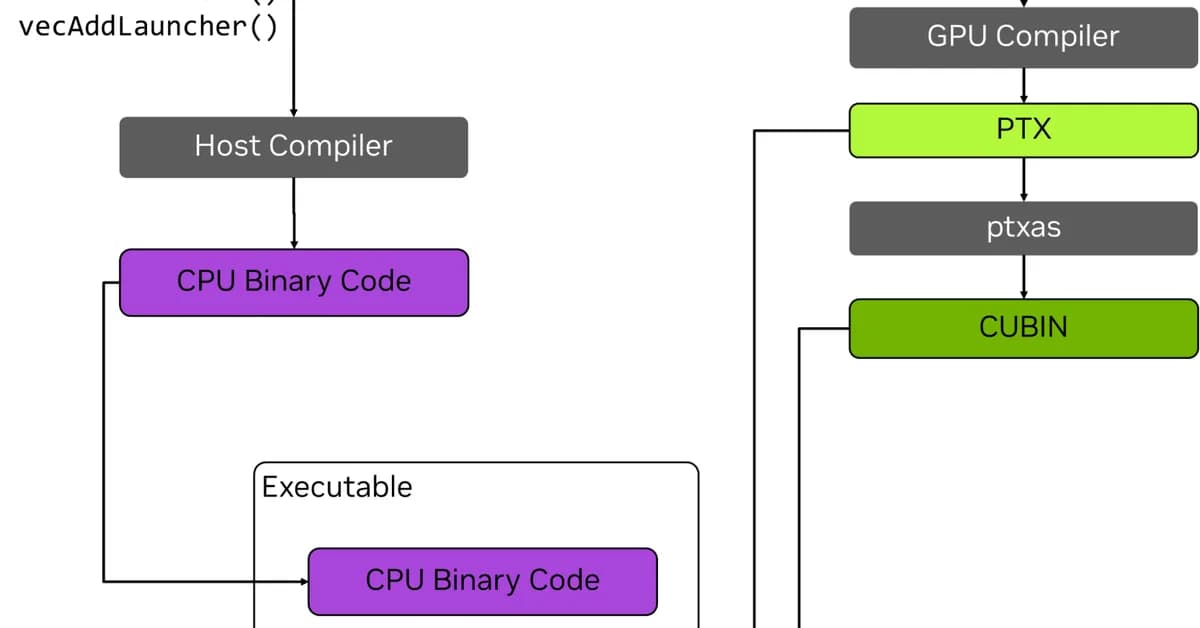
Based on the provided documentation, here's a summary of key points for setting up and using CUDA-OXIDE:
Prerequisites
-
Rust Toolchain:
- Install Rust nightly with
rustup install nightly. - Ensure you have
rust-srcandrustc-devcomponents installed.
- Install Rust nightly with
-
LLVM 21+:
- Install LLVM 21 or later.
- Verify NVPTX backend is present using
llc-21 --version.
-
Clang 21:
- Install full Clang package (
clang-21orlibclang-common-21-dev) to provide necessary headers.
- Install full Clang package (
-
CUDA Toolkit: Ensure CUDA toolkit is installed and accessible.
-
cargo-oxide:
- Clone the CUDA-OXIDE repository.
- Run
cargo install --git https://github.com/NVlabs/cuda-oxide.git cargo-oxideoutside of the repo, or usecargo oxide run vecaddinside the repo to test setup.
Running Examples
- vecadd Example:
This will buildbash1cargo oxide run vecadd
Read the full article at MarkTechPost
Want to create content about this topic? Use Nemati AI tools to generate articles, social posts, and more.
8
Tags
Contents

Ali NematiWritten by Ali
![[AINews] The Unreasonable Effectiveness of Closing the Loop](/_next/image?url=https%3A%2F%2Fmedia.nemati.ai%2Fmedia%2Fblog%2Fimages%2Farticles%2F600e22851bc7453b.webp&w=3840&q=75)



