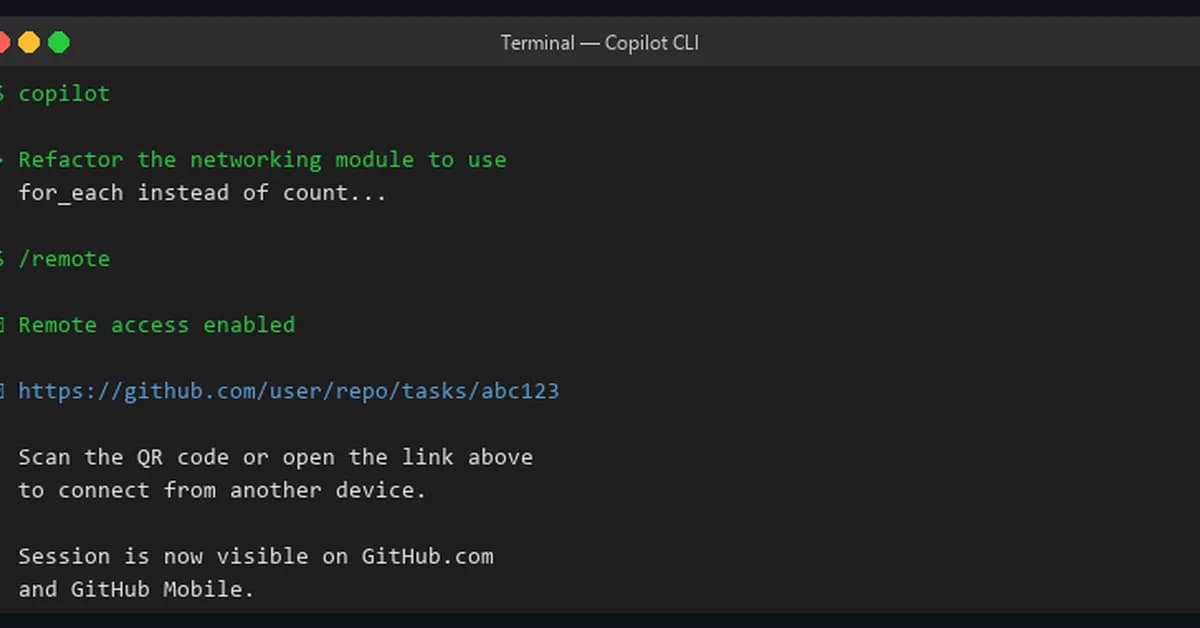
The introduction of remote access functionality in Copilot CLI represents a significant enhancement for developers working on complex projects. This feature allows users to control and monitor their development sessions remotely via the web or mobile interfaces provided by GitHub. Here's an overview of how this works, its benefits, and considerations:
Key Features
-
Remote Interface: Developers can interact with their local Copilot CLI session from a browser (GitHub.com) or through the GitHub Mobile app. This allows them to control tasks such as approving plans, responding to permission requests, and submitting new prompts, all while away from their primary workstation.
-
Session URLs: Each remote access session is associated with a unique URL that can only be accessed by the authenticated user who initiated it. This ensures security and privacy of sessions.
-
Keep-Alive Command: To prevent machines from going to sleep during active development sessions, Copilot CLI offers a
/keep-alivecommand. It allows users to specify how long they want their machine to stay awake (e.g.,busy,on,off, or specific time durations). -
Reconnection and Resumption: If there's a temporary network interruption, the remote interface automatically reconnects once connectivity is restored.
Read the full article at DEV Community
Want to create content about this topic? Use Nemati AI tools to generate articles, social posts, and more.